Safina Docs
Your Guide to Smarter Call Management with AI
Setup tutorials, feature deep dives, and best practices to turn missed calls into opportunities.
 Setup
SetupCountries where you can get a Safina number
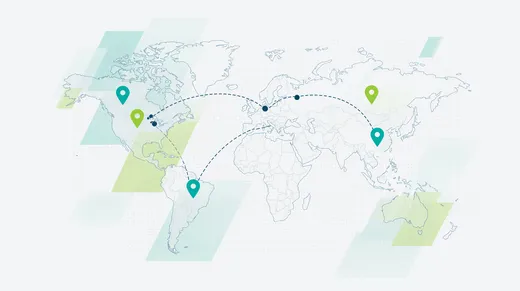
Which country codes we have Safina numbers for: which ones you get instantly, which ones on request, where a surcharge applies and what documents each country requires.
 Karsten Kreh
 App Feature
App Language vs. AI Language: Language Settings in the Safina App
Understand the important distinction: this guide explains where to change the language of the Safina app interface and where to configure the voice and language of your AI assistant.
Karsten Kreh App Feature
Book Appointments During the Call: Safina AI's Calendar Integration
Learn how Safina AI's calendar integration automatically books appointments in your Google or Microsoft calendar. Set up direct appointment booking now!
Karsten Kreh Setup
SetupThe Basics: How Call Forwarding to Safina Works
Understand the technology behind Safina. We explain in simple terms what call forwarding (or call diversion) is, how it uses your Safina number, and when it takes over your calls.
Karsten Kreh Help
HelpSafina Call Forwarding Not Working?
Your calls aren't being forwarded to Safina? This troubleshooting guide shows you how to fix the issue on your mobile phone in 2 steps and what Apple users need to watch out for.
Karsten Kreh App Feature
The Safina Call List: Filtering and Finding Calls Quickly
Stay on top of your calls. This guide shows you how to use the call list in your Safina app, spot new messages, and use filters to quickly find what you're looking for.
Karsten Kreh App Feature
Call Summaries in Safina: Every Detail Explained
Discover the heart of Safina. See how a call summary is structured, from the AI analysis and key takeaways to the full transcript and audio recording.
Karsten Kreh App Feature
Human Handoff: How Safina Transfers Calls to Your Team
Safina can hand callers off to up to 25 stored phone numbers. Learn how to create transfers and define when Safina puts callers through to whom.
Karsten Kreh Setup
SetupChanging Your Personal Information and Password in Safina
Has your information changed? This short guide shows you how to quickly and easily update your name or password in the Profile tab of your Safina app.
Karsten Kreh Integration
Connect Safina AI to Your CRM via Webhook
Integrate Safina AI seamlessly with your CRM to automate your call management. Learn how to create and configure webhooks to sync call data in real time and streamline your business processes.
Karsten Kreh Setup
SetupControlling Conversation Flows with Scenarios
Bring structure to your calls. Learn how to use scenarios in the conversation guide to define different call reasons (e.g., 'Emergency,' 'Quote') and ask the right questions for each case.
Karsten Kreh App Feature
Creating New Questions and Instructions in the Conversation Guide
Capture the right data. Learn step by step how to create custom instructions and structured questions (yes/no, text, date, etc.) for your Safina in the conversation guide.
Karsten Kreh Setup
SetupCreate and Set Up Your Safina AI Account
Ready for more focus? This simple step-by-step guide shows you how to create your Safina AI account in just 5 minutes and get started right away with the new industry templates.
Karsten Kreh Setup
SetupCrafting the Perfect Greeting and Icebreaker
First impressions matter. Learn how to craft the optimal greeting and 'icebreaker' sentence for your Safina assistant to welcome callers professionally and clearly.
Karsten Kreh App Feature
Let Safina Create Custom AI Evaluations in the Background
Go beyond standard analysis. Learn how to create custom AI evaluations that analyze conversations in the background for characteristics like emergencies or revenue potential.
Karsten Kreh App Feature
Customizing Your Safina's Voice and Tone
Give your AI assistant a personal touch. Learn how to choose your Safina's voice and adjust its tone — from formal to casual.
Karsten Kreh App Feature
Deactivating Safina for Individual Contacts
Not every call should go to your AI assistant? Learn how to easily deactivate Safina for specific contacts like family or VIP clients so they can always reach you directly.
Karsten Kreh Setup
SetupImporting and Managing Contacts in the Safina App
Learn how to import your address book into the Safina app. This way, you'll see the caller's name directly in your call list and can assign interactions more easily.
Karsten Kreh App Feature
Custom Names for Your Safina: How to Personalize Your AI Assistant
Give your phone assistant a personal identity. Learn how to customize the name of your Safina.
Karsten Kreh App Feature
Industry Templates: The Perfect Safina Configuration in One Click
Save time with field-tested templates. Learn what industry templates are and how to apply a ready-made configuration for tradespeople, practices, law firms & more to your Safina with a single click.
Karsten Kreh Help
HelpWhere Can I Find My Invoices? Subscriptions & Additional Minutes Explained
Accounting made easy: Learn where to find your invoices for Safina subscriptions and additional minutes — whether through the App Store or the web app.
Karsten Kreh Help
HelpWhat Happens When My Minute Allowance Runs Out?
Running low on minutes? No worries. We explain what happens when your allowance is used up, how we warn you in advance, and how your calls are still handled safely.
Karsten Kreh Setup
SetupAdditional Minutes: How Pay-as-you-go Billing Works
Don't want to miss any more calls when your included minutes run out? Discover Safina AI's flexible pay-as-you-go model for full availability.
Karsten Kreh App Feature
How Does Safina Recognize an Appointment Request During a Call?
Learn how Safina's AI works. We explain how your assistant automatically detects appointment requests during calls by understanding context and key phrases.
Karsten Kreh App Feature
Record Safina Calls as Audio Files
Want to save entire conversations as audio files? Learn how to enable call recording in Safina and what you need to know about legal requirements (including automatic consent).
Karsten Kreh App Feature
Safina AI on All Devices: iOS, Android & Web App Overview
Access Safina from anywhere. Learn how to use Safina as a native app for iOS and Android or directly in your web browser on your PC or tablet — for full flexibility.
Karsten Kreh App Feature
The Safina AI App: A Tour of All Features
Find your way around instantly. This tour of the Safina AI dashboard shows you the four main sections: Calls, Safina AI, Contacts, and Profile. Learn where to find what.
Karsten Kreh App Feature
How to Set Up Your Booking Link in Safina
Turn calls directly into appointments. Learn how to add your booking link from Calendly, Microsoft Bookings & more to Safina, so your AI assistant can send it via SMS.
Karsten Kreh Integration
Set Up Call Notifications via Email & Push
Stay in the loop at all times. Learn how to configure whether you receive call summaries via email, as push notifications, or both in the Safina app.
Karsten Kreh Setup
SetupSet Up Call Forwarding From Your Mobile Phone to Safina
Activate Safina for your mobile phone. This simple guide shows you how to set up call forwarding for your iOS or Android device with just one click in the app.
Karsten Kreh App Feature
Handling Multilingual Calls with Safina
Speak your customers' language. This guide shows you how to set a primary language for Safina and how automatic language detection and mid-call switching work.
Karsten Kreh Setup
SetupSet Up Call Forwarding to Safina on Your PBX System
Connect your office PBX system with Safina. This general guide gives you tips on where to find the call forwarding settings on your local phone system.
Karsten Kreh Setup
SetupHow to Upgrade Your Safina AI Subscription
Need more minutes or advanced features? This guide shows you how to easily upgrade your Safina AI subscription in the Profile tab of your app and unlock more capabilities instantly.
Karsten Kreh App Feature
What Is Safina AI? A Complete Overview of All Features
Wondering what Safina AI actually is? Discover your new AI phone assistant that answers calls, filters spam & more. Get to know all its powerful features!
Karsten KrehApp FeatureHow Focus Mode Works with Safina
Need uninterrupted time? Focus mode forwards all calls to Safina so you can concentrate on deep work. Learn how to enable, schedule, and get the most out of it.
 David SchemmSetup
What Is Your Safina Number and Why Do You Need It?
Every Safina plan includes a dedicated phone number. Learn what it does, how call forwarding works with it, and how you can use it to protect your privacy.
David SchemmApp FeatureAfter-Hours Call Handling: Never Miss an Evening or Weekend Call
Learn how Safina AI handles calls outside business hours, sets different greetings for evenings and weekends, escalates urgent calls at night, and provides 24/7 coverage.
David SchemmApp FeatureAlways Reachable for Small Businesses
Learn how small businesses stay reachable around the clock without burning out. Holiday handling, vacation coverage, pause options and time-based availability.
David SchemmApp FeatureCall Summaries & Notifications Explained
Learn what Safina AI call summaries contain, how fast notifications arrive, CRM integration options, and how to customize what gets captured during each call.
Karsten Kreh App Feature
Call Transfer & Routing: How Safina Connects Calls
Learn how Safina AI transfers calls to your phone, routes based on urgency and schedules, and handles fallback scenarios when you don't answer the transfer.
David SchemmHelpCancellation & Plan Changes
Learn about cancelling Safina AI, changing plans, contract terms, and what happens to your data. No contracts, cancel anytime, change plans instantly.
David SchemmIntegrationCRM & Integration Connections
Learn how Safina AI connects to HubSpot, Pipedrive, Zapier, Make, n8n, Google Calendar, Outlook, Notion, Brevo, and webhooks. No coding required.
David SchemmApp FeatureIndustry-Specific Phone Handling
Learn how Safina AI handles calls for 20+ industries with tailored templates, custom conversation flows, and industry-specific questions that capture the right details.
David SchemmApp FeatureMulti-Language Phone Support with AI
Learn how Safina AI handles 50+ languages, detects caller language automatically, switches mid-call, and which languages deliver the best quality.
David SchemmHelpSafina Pricing & Costs Explained
Understand Safina AI pricing: Basic $11.99/mo (30 min), Pro $29.99/mo (100 min), Business $69.99/mo (250 min). Compare costs with receptionists and answering services.
David SchemmHelpPrivacy & GDPR Compliance for AI Phone Assistants
Learn how Safina AI handles data privacy, GDPR compliance, German data hosting, caller rights, encryption, and access controls for business phone calls.
David SchemmSetupSetting Up Safina: Getting Started Guide
Learn how to set up Safina AI in under 5 minutes. Keep your existing phone number, configure call forwarding, and start answering calls with AI today.
David SchemmApp FeatureSpam Call Protection: How Safina Handles Unwanted Calls
Learn how Safina AI filters spam calls, detects unwanted callers, handles persistent spam, and lets you block specific numbers to protect your business.
David Schemm